
What’s new in SketchUp 2026
Get feedback fast and in context, all within SketchUp. Take control of sharing, and experience improved documentation, context and visualization.

About Us
SketchUp provided designers with an invaluable resource: time. The 30 minutes required to mock up a model was now possible in 30 seconds. Not only could designs move more quickly, but SketchUp expanded the room for exploration, creativity, and play.
Over 20 years later, the world has changed, but the inspiration that drives us remains the same. It’s our mission to provide faster, easier, and more powerful tools so you can do less drudgery and more dreaming, designing, and building.
Keep projects moving with quicker design decisions
Collaboration
Fast-track feedback directly within SketchUp
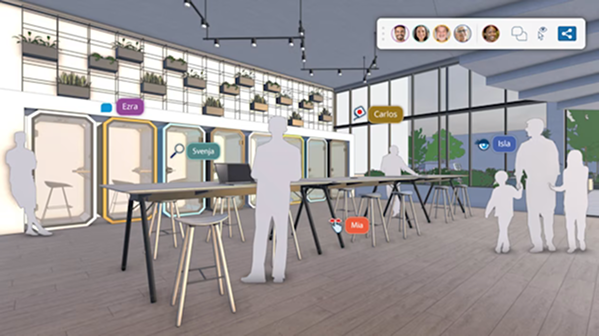
Share, view, and comment
Centralize design feedback to easily advance design decisions. Create comment threads, upload images and camera views, and add emojis. Share from SketchUp for Desktop to view on the web.
What’s New?
Documentation
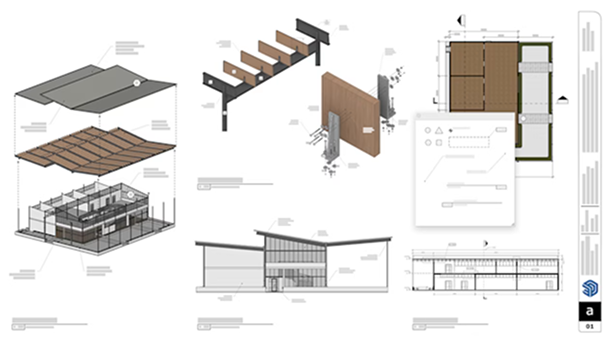
Experience more professional, flexible drawing and documentation with new 2D drafting tools and the DWG support you've been asking for. Coupled with a modernized interface (Windows-only), accomplish more in LayOut.
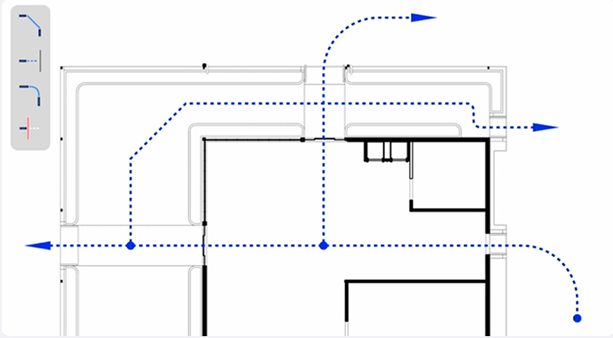
New Tools
Unlock more intuitive and professional 2D drawing with four new drafting tools. Streamline architectural illustration and detailing with Extend, Trim, Fillet, and Chamfer, now easily accessible standalone tools in LayOut.
New UI Framework
Unified Ul in SketchUp for Desktop and LayOut (Windows-only) modelizes LayOut and offers more seamless transitions from 3D to 2D or vice versa. Plus, customize tray and panel docking locations to suit you.
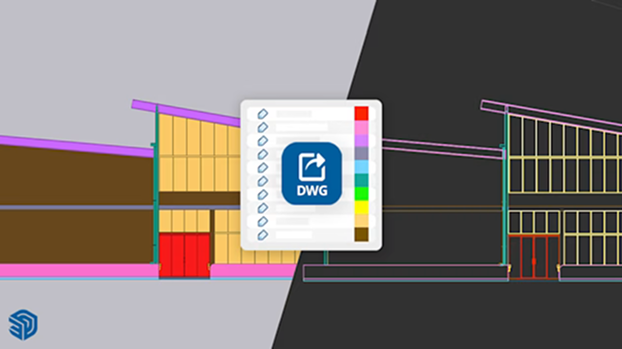
DWG Support
SketchUp Tags now translate to CAD layers in DWG exports. When moving from 3D in SketchUp to 2D in LayOut and into other CAD environments, layers are created from each SketchUp Tag with Tag properties maintained.
SketchUp Products

SketchUp Pro
Build your anything with intuitive, professional design software that helps you visualize, collaborate, and communicate your ideas.
SketchUp’s accessible interface and intuitive tools make it easy to create in 3D, compare design options, and share 2D to 4D visuals with stakeholders.

SketchUp Studio
Create beautiful designs – backed by real-world data – with our most powerful subscription. Available for Windows only.
Model efficiently, customize your workflow with extensions, and create stunning deliverables for your next big idea.
SketchUp Go
Create in 3D easily across iPad and Web, collaborate in the cloud, and build rich, contextual models.
Effortlessly craft 3D models and visualize concepts with intuitive tools on SketchUp for iPad and Web.